1 Main purpose
Offload-video analytics is an offloading technology that allows you to delegate computing operations demanding resources from one machine to another by transferring data over a local network.
2 Work principle
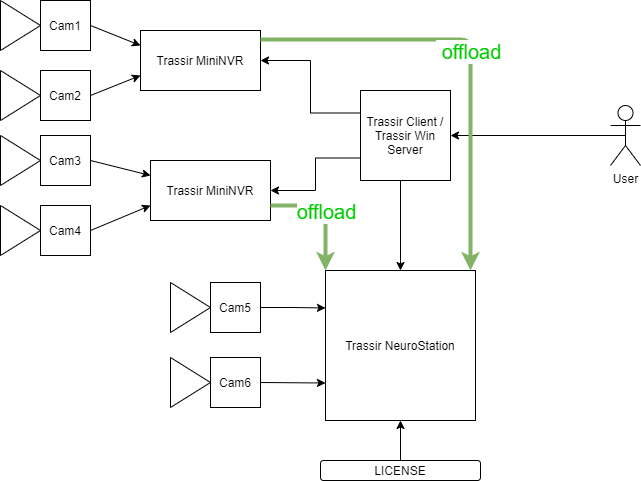
NVRs receive a stream from video cameras. An encoded video stream or reference frames of this video stream are sent to the computing server, depending on the detector. After that, processing and analytics take place, then the results are returned to the source server.
For offload detectors, video analytics works as follows:
- The data is sent to the machine;
- Operations related to neural networks and/or using GPUs are transferred to a remote machine with suitable hardware;
- The results of the detector operation are returned to the data source machine.
This makes it possible to efficiently use the available hardware resources.
That is, in fact, offload video analytics is remote video analytics: the ability to transfer calculations to another server.
2.1 Example
Let's say there are already several cameras connected to MiniNVR video recorders, the image from which we can view in the TRASSIR Client. We want to connect a neural network queue detector. However, the MiniNVR series recorders do not support local neuro analytics. But you can connect a NVR from the NeuroStation series to MiniNVR, and transfer the video stream from MiniNVR to it. If necessary, you can connect the cameras directly to the NVR with analytics.
After analyzing the video, the analytics server returns the data with detections to the source server from which the offload was performed. Thus, we can use the results of neural network analytics, regardless of the fact that the video stream is recorded on the MiniNVR recorder, which is simple in functionality.
3 Interface and Settings
- First, you need to enable analytics over the network. In the client settings for the required user, check the Allow analytics via the network box.
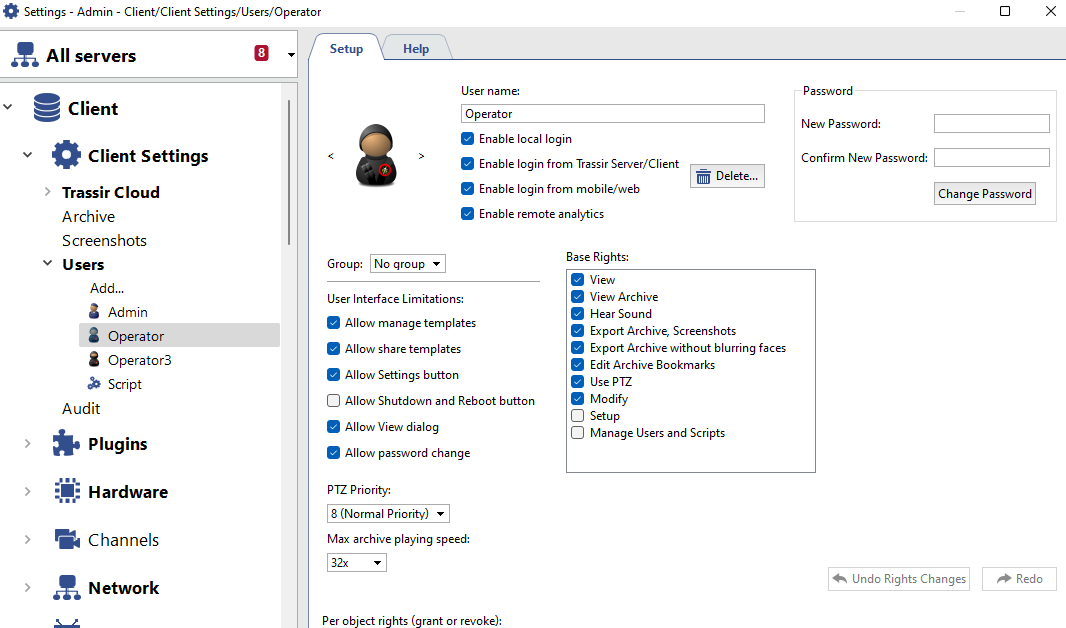
The connection to the analytics server is made in the same way as to a regular TRASSIR server.
A new NeuroStation server is being added in the "Network" section

- Then on the NeuroStation server in the Modules settings > Analytics you can configure possible detectors to process them on the GPU.

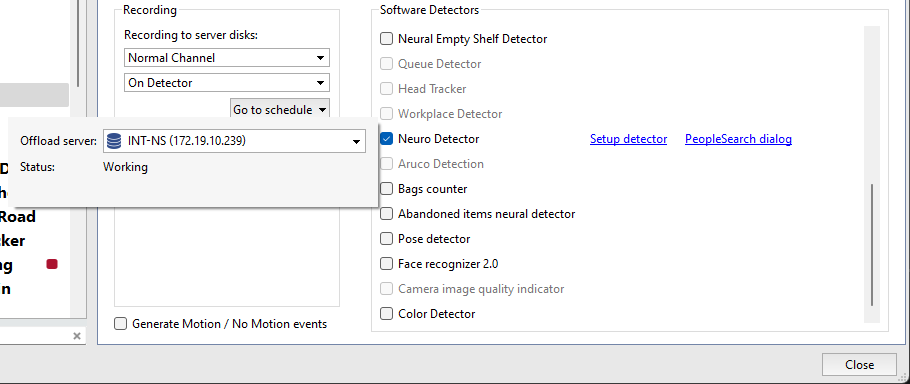
- To activate the module, it is necessary in the Channel Settings in the Software Detectors area, select the desired detector item and specify Server for offload video analytics.
The status of the offload video analytics for each detector is also displayed here. This state can also be seen in the detector Settings.
4 Requirements
4.1 Network bandwidth
- Vehicle number recognition (AutoTRASSIR-30) - at least 512 kb/s
- Vehicle number recognition (AutoTRASSIR-200) - at least 2 mb/s
- Zone Crossing Detector (Neuro Counter) - at least 1 MB/s
- Direction Detector - at least 1 MB/s
- For other modules (for example, a helmet detector, people, objects), the network bandwidth must be at least 128 kb/s
In the case of tracing objects (tracking movement, crossing lines), the entire video stream is transmitted to the computing server. And if the detection occurs every few seconds, then only reference frames are used.
The capabilities of the recorders to work video analytics without displaying video on the monitor (provided that one module is running on the recorder) in the Offload mode are indicated in paragraph 1 in the Analytics Reference
5 Выполняемые операции
Последовательность выполняемых операций отражена на диаграмме ниже:

В случае с распознаванием лиц, после выделения найденных лиц и отправки данных обратно на исходный сервер, полученные лица сравниваются с базой данных лиц, которая указана на сервере источнике, и уже после этого происходит распознавание.
6 Лицензирование
При offload-аналитике лицензия детектора расходуется на сервере, который непосредственно производит аналитику, а не на сервере-источнике видеосигнала